
Music generation in Veontra
Veontra now generates original music tracks in the Audio workspace. Describe the mood and genre, pick a duration, optionally attach a reference image or request an album cover, and download finished MP3s when generation completes.
What music generation does
Open Audio → Music in the dashboard and create tracks with Google Lyria. Choose a duration from 60 seconds up to 3 minutes, write a prompt for style and mood, and optionally generate a cover image. Each successful run produces downloadable MP3 tracks you can preview in the feed, share to the gallery, or archive.
The generate workspace
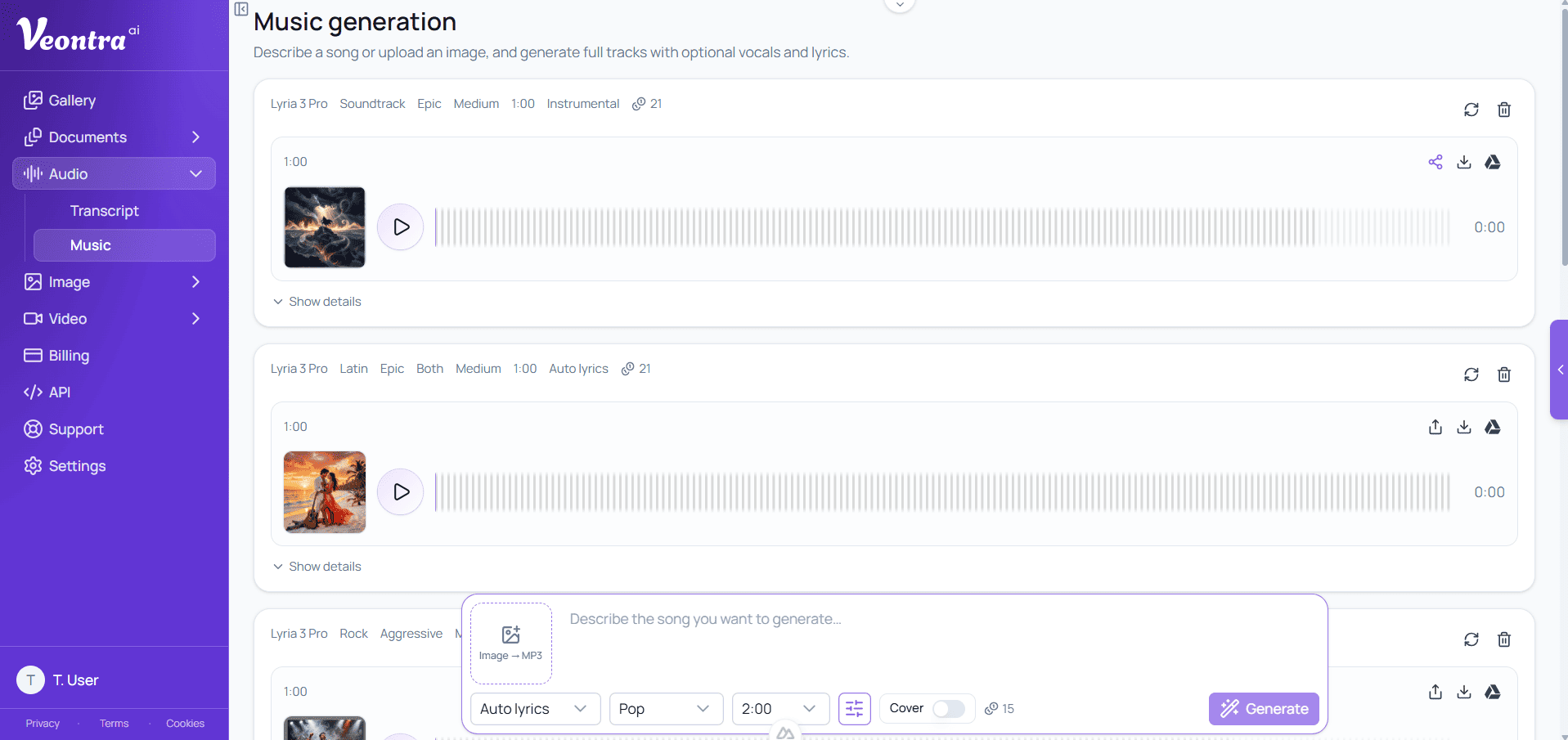
Generations appear as cards with status, duration, model, and credit cost, as shown above. Use the prompt bar to set description, length, and cover options, then submit. While processing, the card shows progress; when done, play the track inline, download individual files or a ZIP archive, and regenerate with the same settings.
Genre, mood, vocals, tempo & lyrics
Beyond the free-text prompt, pick a genre from over 30 options (pop, rock, hip-hop, electronic, jazz, lo-fi, k-pop, and more), a mood (energetic, calm, romantic, dark, epic, and others), vocals (male, female, or both), and tempo (slow, medium, fast). For lyrics, choose instrumental for no vocals, auto to let Lyria write them from your prompt, or custom to paste your own lyrics word for word.
Prompt or image → music
You can generate from a text prompt alone, or attach a reference image so Lyria interprets the visual mood into audio (image → MP3). Combine both when you want a clear style description plus a visual anchor. Cover generation is optional and billed separately when enabled.
Credits & pricing
Music uses a flat credit cost per generation with Lyria (not per second). Enabling an album cover adds the image generation cost on top. Text-only and image-to-music use the same music rate — the reference image does not change the music price. See Credit services for the current Lyria and cover rates.
Prompt examples that work well
Describe genre, instruments, and energy together: "Upbeat synthwave with driving bassline, retro synth arpeggios, and a soaring guitar solo at the midpoint." For vocals, add mood and voice explicitly — "melancholic indie ballad, female vocals, sparse piano, building to a full band chorus." With custom lyrics, keep verses short and rhythmic; Lyria follows the syllable pattern you write. If you attach a reference image instead, describe what you want to keep from it in the prompt too, such as "match this image's calm, cinematic mood" for more predictable results.
Get started
Start a free trial, open Audio → Music in your dashboard, and create your first track in minutes. Prefer to check pricing first? Visit Credit services for Lyria and cover costs.
Still have questions? Check the FAQ